
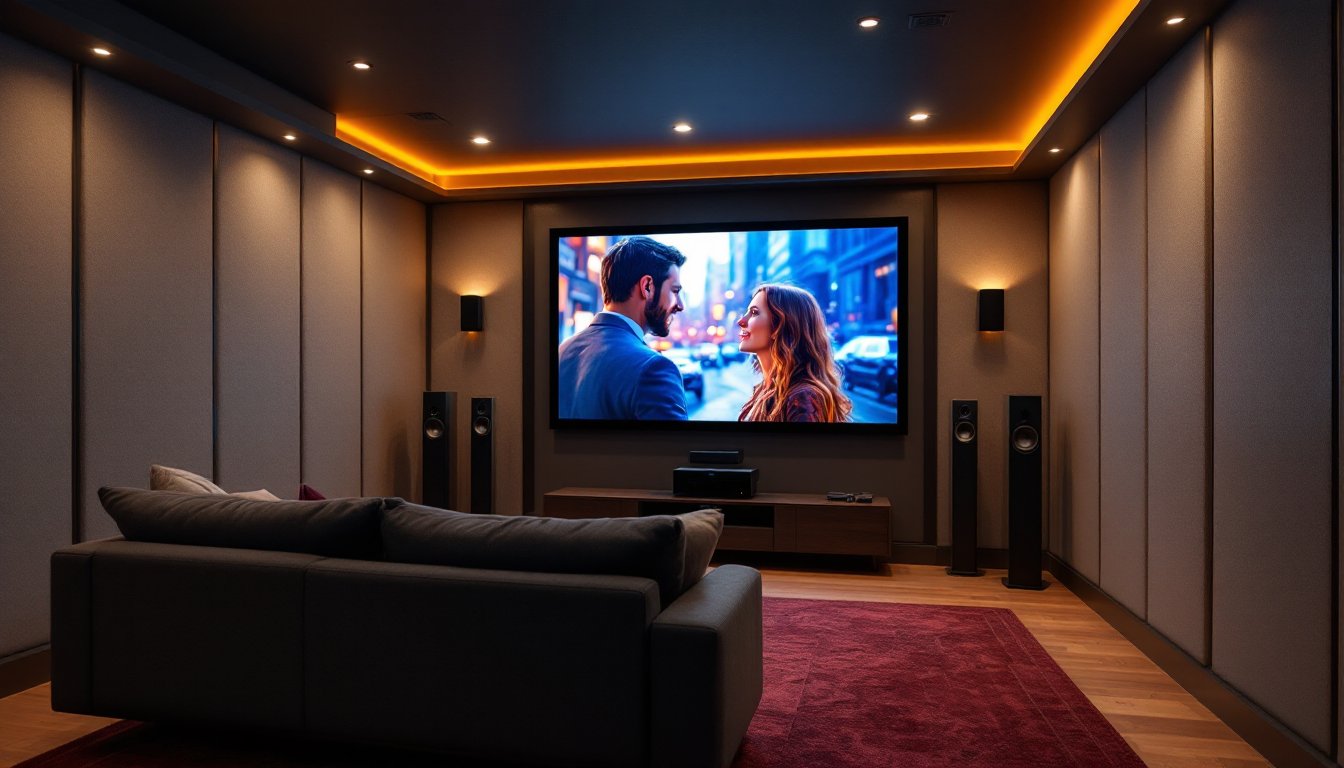
Building a customized home theater isn’t about throwing the most expensive equipment into a room and hoping for the best. It’s about tailoring every component, audio, video, seating, and acoustics, to fit the space, the budget, and how the homeowner actually uses it. Unlike off-the-shelf bundles that prioritize convenience over performance, a custom setup lets DIYers dial in exactly what matters to them, whether that’s immersive surround sound, 4K projection, or smart home integration. With the right planning and a bit of elbow grease, homeowners can create a theater experience that rivals commercial cinemas without hiring a full integration crew.
Table of Contents
ToggleKey Takeaways
- Customized home theater systems outperform off-the-shelf bundles by allowing component-by-component selection tailored to room acoustics, viewing distance, and budget priorities rather than predetermined configurations.
- Proper planning requires measuring viewing distance (1.5–2.5 times the screen diagonal), accounting for throw distance, and allocating budget across a 40% audio, 30% display, and 30% installation split to maximize performance.
- Acoustic treatment with sound-absorbing materials and bass traps significantly improves audio quality, and DIY options like Rockwool-wrapped panels can cut costs compared to pre-made solutions.
- Room calibration using built-in AV receiver software (Audyssey, Dirac Live) gets custom setups 90% of the way to optimal sound, with manual tweaking allowing further refinement.
- Professional help is essential for electrical work, structural permits, and complex automation integration, while phased installation of displays, receivers, and speakers makes troubleshooting easier for DIY projects.
What Makes a Home Theater System ‘Customized’?
A customized home theater system is built component by component to match specific needs, rather than purchased as a pre-packaged bundle. This means selecting an AV receiver based on room size and speaker configuration, choosing speakers that complement the space’s acoustics, and picking a display that fits viewing distance and ambient light conditions.
The difference comes down to control. Off-the-shelf systems lock buyers into predetermined speaker wattages, limited input options, and fixed layouts. A custom approach allows mixing brands, pairing a Denon AVR with Klipsch tower speakers and a BenQ projector, for example, based on performance specs rather than marketing bundles.
Customization also extends to installation. Homeowners can run in-wall speaker wire for a clean look, build dedicated equipment racks, or integrate smart home controls like Control4 or Crestron without relying on proprietary ecosystems. This flexibility makes it easier to upgrade individual components over time instead of replacing the entire system when technology advances.
That said, customization requires more research and planning. Homeowners need to understand impedance matching (typically 4, 6, or 8 ohms for speakers), HDMI 2.1 bandwidth for 4K/120Hz gaming, and the difference between Dolby Atmos and older surround formats. It’s not plug-and-play, but the payoff is a system that actually fits the room and use case.
Planning Your Custom Home Theater: Space and Budget Considerations
Start by measuring the room. Viewing distance should be 1.5 to 2.5 times the screen’s diagonal measurement for 4K displays, so a 100-inch screen works best at 12.5 to 20 feet. For projectors, add at least 18 inches behind the seating area for the throw distance, and check the projector’s throw ratio to confirm it’ll fit.
Acoustics matter more than most DIYers expect. Hard surfaces (tile, drywall, glass) reflect sound and create echo, while soft materials (carpets, curtains, upholstered furniture) absorb it. Dedicated home theaters benefit from acoustic panels on the front wall and first reflection points. Bass traps in corners help tame low-frequency buildup. Homeowners can DIY these using Rockwool Safe’n’Sound insulation wrapped in fabric, cutting costs significantly compared to pre-made panels.
Budget allocation should follow a rough 40-30-30 split: 40% on audio (receiver, speakers, subwoofer), 30% on display (projector or TV), and 30% on installation materials, seating, and acoustic treatment. For a $5,000 budget, that’s $2,000 on audio, $1,500 on the display, and $1,500 on everything else. Adjust based on priorities, audiophiles might flip the audio and display percentages.
Don’t forget infrastructure. Running 14-gauge speaker wire inside walls requires cutting drywall and patching afterward. If the room sits above a basement or crawlspace, fishing wire from below is easier. For projector setups, plan conduit runs for HDMI cables (or use HDBaseT extenders for runs over 25 feet) and power. This work often requires permits if it involves opening walls or running new circuits, especially in load-bearing walls or near electrical panels.
Essential Components for a Customized Home Theater System
Audio Equipment and Surround Sound Setup
The AV receiver is the brain of the system. It decodes surround sound formats, powers speakers, and routes video signals. Look for models with 7.2 or 9.2 channels to support Dolby Atmos height speakers. Key specs include watts per channel (80-100W minimum for most rooms), HDMI inputs (at least 6 for gaming consoles, streaming devices, and Blu-ray players), and support for eARC (enhanced Audio Return Channel) for lossless audio from smart TVs.
Speaker configuration typically starts with 5.1 surround sound: three front speakers (left, center, right), two surrounds, and one subwoofer. A 7.1 setup adds two rear surrounds for better envelopment. Dolby Atmos setups (5.1.2, 7.1.4) add ceiling or upfiring speakers for overhead effects. The center channel handles dialogue and should match the left/right front speakers for tonal consistency.
Subwoofer placement affects bass response more than most people realize. Corner placement maximizes output but can cause boomy, uneven bass. Try the subwoofer crawl: place the sub in the main seating position, play bass-heavy content, and crawl around the room’s perimeter to find where bass sounds tightest and most even, that’s where the sub should go.
Wire runs matter. Use 14-gauge wire for speaker runs under 50 feet, and step up to 12-gauge for longer distances or 4-ohm speakers. Label every wire at both ends before closing up walls. In-ceiling speakers for Atmos need to be angled toward the seating area: most manufacturers specify a 20-30 degree angle from vertical.
Display Options: Projectors vs. Large-Screen TVs
Projectors deliver the most immersive experience for dedicated theaters. A 4K UHD projector with HDR10 support provides sharp images up to 120 inches diagonally. Throw distance varies by model, short-throw projectors need 4-6 feet for a 100-inch image, while standard models need 10-12 feet. Lamp-based projectors require bulb replacements every 3,000-5,000 hours (around $150-$300 per bulb), while laser projectors last 20,000+ hours but cost significantly more upfront.
Screen choice depends on ambient light. White screens work in light-controlled rooms and preserve color accuracy. Gray or ALR (ambient light rejecting) screens handle room light better but cost more. Fixed-frame screens look cleaner than pull-down models and stay tensioned for a flat surface. Homeowners can also build DIY screens using blackout cloth stretched over a wooden frame, painted with screen goo or similar projection paint.
Large-screen TVs (75-85 inches) make sense for multipurpose rooms with ambient light. OLED panels deliver perfect blacks and wide viewing angles but risk burn-in with static content like news tickers or game HUDs. QLED and Mini-LED LCD panels get brighter (important for HDR) and avoid burn-in but have narrower viewing angles. For gaming, look for 120Hz refresh rates and HDMI 2.1 inputs. Mounting requires locating studs with a stud finder, most 75+ inch TVs need mounts rated for 100+ pounds and lag bolts into at least two 16-inch on-center studs. Recent evaluations of complete home theater systems show that display choice significantly impacts overall satisfaction and room usability.
DIY Installation Tips and When to Hire a Professional
Most homeowners can handle speaker mounting, wire runs, and equipment setup with basic tools: a drill/driver, stud finder, wire strippers, fish tape for pulling wire through walls, and a level. Safety gear includes safety glasses for drilling overhead and dust masks when cutting drywall.
Wall-mounting speakers or TVs requires hitting studs. Toggle bolts work for drywall-only mounting on lighter speakers (under 10 pounds), but anything heavier needs 2.5-inch wood screws or lag bolts driven into framing. For in-wall or in-ceiling speakers, trace the template, cut carefully with a drywall saw or keyhole saw, and check for obstacles (wiring, plumbing, HVAC ducts) before cutting. A flexible inspection camera (around $30) helps confirm the cavity is clear.
Running wire through finished walls takes patience. Drill through the top or bottom plate of the wall cavity from the attic or basement, then use fish tape or a glow rod kit to pull wire. For horizontal runs, cutting a small access hole near each stud and drilling through is often easier than fighting friction over long distances. Patch holes with drywall compound, sand smooth, prime, and paint to match.
Calibration is where most DIY setups fall short. Use the AV receiver’s built-in room correction software (Audyssey, Dirac Live, YPAO) with the included microphone. Place the mic at ear level in the main seating position and follow the on-screen prompts. These systems measure speaker distances, adjust levels, and apply EQ to compensate for room acoustics. Manual tweaking afterward can fine-tune results, but the auto calibration gets most systems 90% of the way there.
Professional help makes sense for certain tasks. Electrical work, adding dedicated 20-amp circuits for power-hungry amps or projectors, typically requires a licensed electrician and permits per the National Electrical Code (NEC). Structural modifications (removing walls, adding soffits for projector mounts) need permits in most jurisdictions and may require an engineer’s approval if load-bearing walls are involved. Complex automation integration (whole-home control, motorized screens, dynamic lighting) often justifies hiring an integrator who can program scenes and troubleshoot network issues. When evaluating home theater configurations, many experts recommend professional calibration for high-end setups.
If tackling the project solo, work in phases. Install and test the display first, then add the AV receiver and front speakers. Test surround sound with just the front channels before running wire for surrounds and Atmos speakers. This phased approach makes troubleshooting easier and prevents tearing apart finished work to fix mistakes. Resources like customization guides for AV receivers can help homeowners match components to room dimensions and performance goals.
Conclusion
Building a customized home theater rewards the effort with performance that off-the-shelf bundles can’t match. By selecting components based on room acoustics, usage patterns, and budget priorities, homeowners create systems that grow and adapt over time. The work isn’t trivial, expect to spend weekends measuring, drilling, fishing wire, and calibrating, but the result is a space tailored exactly to how the household watches movies, games, or streams content. Start with solid planning, don’t skip the prep work, and know when to call in help for the tasks that require permits or specialized skills.