
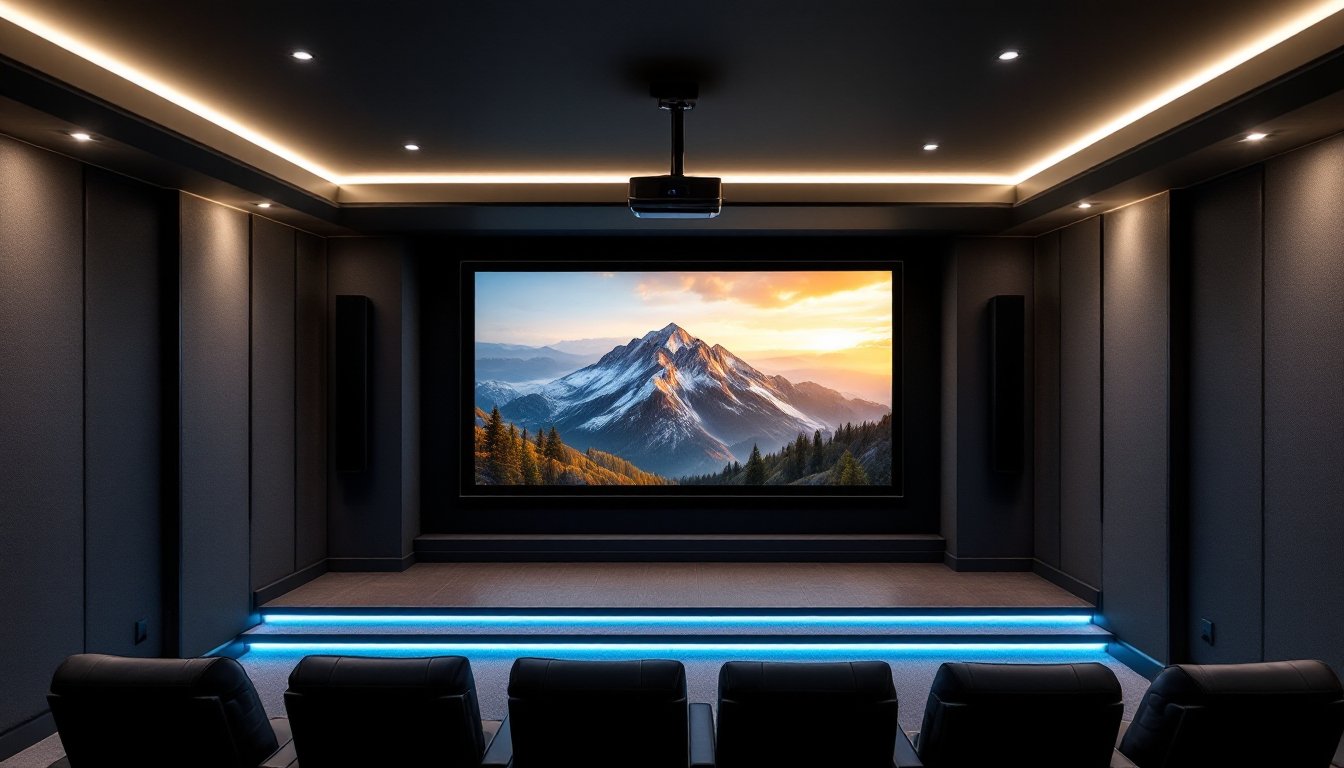
Building a dedicated home theater means facing one critical question early: how big should the screen be? The answer isn’t just “as big as possible.” The largest screen that fits your room may overwhelm viewers sitting too close, while undersizing wastes potential immersion. Modern home theater technology offers screens well over 200 inches diagonal, but the right size depends on viewing distance, resolution, room layout, and whether you’re using a projector or a massive TV. This guide walks through what qualifies as truly large, which technologies deliver the best oversized viewing, and how to choose and install a screen that maximizes your space without very costly.
Table of Contents
ToggleKey Takeaways
- The biggest home theater screens range from 100 to 300+ inches diagonal, with most residential installations landing between 150 and 200 inches based on viewing distance and room dimensions.
- Projectors remain the most cost-effective option for achieving oversized screens, offering 200+ inch displays at a fraction of the price of comparable large-format TVs or LED walls.
- The SMPTE 30-degree viewing angle guideline recommends positioning your seating at approximately 1.5 times the screen width—a 150-inch screen works best from 16-17 feet away.
- 4K resolution allows you to sit closer to a large home theater screen without noticing pixels, while 1080p projectors may show pixelation at shorter distances.
- Installation of a biggest home theater screen requires securing mounting hardware to wall studs or ceiling joists, with most DIY fixed-frame setups costing $300-$600 for a 120-inch model.
- Total budget for a quality 120-150 inch projector-based home theater typically ranges from $3,000 to $8,000 for DIY installations, with high-end laser projector setups reaching $15,000-$30,000+.
What Qualifies as the Biggest Home Theater Screen?
In home theater terms, “big” starts around 100 inches diagonal and extends to 300+ inches for dedicated cinema rooms. Commercial movie theaters run 40–70 feet wide, but residential installations typically cap out between 150 and 200 inches due to ceiling height, throw distance, and budget.
Screen size is measured diagonally, corner to corner, just like TVs. A 120-inch screen with a 16:9 aspect ratio measures roughly 104 inches wide by 59 inches tall. A 150-inch screen scales to about 131 inches wide by 74 inches tall. The Society of Motion Picture and Television Engineers (SMPTE) recommends a 30-degree viewing angle for an immersive experience, meaning the screen edges should occupy roughly 30 degrees of your horizontal field of view from your primary seating position.
For context, that 30-degree guideline translates to a viewing distance of about 1.5 times the screen width for a cinematic feel. So a 120-inch screen (104 inches wide) should be viewed from around 13 feet. A 150-inch screen works best from 16–17 feet. Anything larger pushes you into dedicated theater room territory with multiple rows of seating.
There’s no absolute ceiling, custom installations can go bigger, but most DIY setups land between 100 and 150 inches due to standard projector throw ratios and room dimensions.
Popular Large Screen Options for Home Theaters
Projector Screens: The Ultimate Size Choice
Projectors dominate the large-format home theater market because they deliver massive images at a fraction of the cost of comparably sized TVs. Fixed-frame screens, motorized retractable screens, and portable screens all scale up to 200+ inches.
Fixed-frame screens mount flush to the wall using a rigid aluminum or wood frame wrapped in acoustically transparent or high-gain screen material. They’re the most affordable large-screen option, typically running $200–$800 for a 120–150 inch model. The frame keeps the material taut, eliminating waves or sag. Brands like Silver Ticket and Elite Screens offer DIY-friendly kits with pre-drilled holes and included mounting hardware.
Motorized retractable screens hide in a ceiling-mounted case when not in use, preserving a multipurpose room. They cost more, expect $600–$2,000 for 120–150 inches, but they’re ideal if the theater doubles as a living room or office. Installation requires securing the case to ceiling joists or blocking, and you’ll need to run low-voltage control wiring if you want remote or smart home integration.
Screen material matters. White matte screens work well in light-controlled rooms. High-gain materials (1.3–1.8 gain) reflect more light back to viewers, boosting brightness in rooms with some ambient light but narrowing the ideal viewing angle. Acoustically transparent screens let you mount speakers behind the screen for true cinema-style center channel placement, but they can cost 50–100% more than standard materials.
Projector choice drives maximum screen size. Short-throw projectors can fill a 100–120 inch screen from 8–10 feet, making them suitable for smaller rooms. Standard throw projectors need 12–18 feet for the same size. Ultra-short-throw (UST) projectors sit inches from the wall but typically max out around 120–150 inches. For 200+ inch screens, you’ll need a standard throw projector with 20+ feet of throw distance and a high-lumen output (3,000+ lumens) to maintain brightness.
Large-Format TVs and LED Walls
If you want a plug-and-play solution without a projector, large-format TVs top out around 98–110 inches diagonal for consumer models. Samsung, LG, and Sony all make screens in this range, but expect to pay $8,000–$25,000+. These displays don’t need a dark room, they deliver high brightness (500+ nits), and they handle daytime viewing without washing out.
MicroLED and modular LED walls push beyond TV sizes by linking individual display panels into seamless video walls. Samsung’s The Wall and similar products can scale to 200+ inches, but costs start in the six-figure range. Installation requires professional mounting, structural support, and often custom millwork to hide bezels and electronics. These aren’t DIY projects, but they represent the current ceiling for direct-view displays in homes.
For most DIYers, projectors remain the practical path to screens over 100 inches.
How to Determine the Right Screen Size for Your Space
Start by measuring your viewing distance, the straight-line distance from the primary seating position to the screen wall. Use the SMPTE 30-degree guideline as a starting point: divide your viewing distance (in inches) by 1.5 to get the recommended screen width. For example, if you’re sitting 12 feet (144 inches) away, aim for a screen about 96 inches wide, which corresponds to roughly a 110-inch diagonal (16:9 aspect ratio).
That’s the baseline. Many home theater enthusiasts push closer to a 40-degree viewing angle for a more immersive, THX-style experience. That guideline suggests dividing viewing distance by 1.2, yielding a larger screen. The same 12-foot distance would call for a 120-inch wide screen, or about 138 inches diagonal. Be honest about whether you want immersion or comfort, sitting too close can cause eye fatigue, especially with lower-resolution content.
Resolution plays a role. With 4K content, you can sit closer without noticing pixels, which allows for larger screens at shorter distances. 1080p projectors show pixelation if you sit too close to a big screen. If you’re running a 1080p projector, bias toward the conservative SMPTE guideline. A 4K projector or TV gives you more flexibility to go bigger.
Measure your ceiling height and wall width next. A 120-inch screen is about 59 inches tall: add another 12–24 inches for the bottom edge to sit at a comfortable height (typically 24–36 inches off the floor for the screen’s bottom edge). That means you need at least 95 inches of vertical clearance, about 8 feet. Many basements and bonus rooms work fine, but older homes with 7.5-foot ceilings may force you down to 100–110 inches.
Consider seating rows. If you have multiple rows, the back row drives screen size. Measure from the farthest seat, not the front row, to avoid a too-small image for rear viewers.
Finally, note whether walls are load-bearing or if you’re mounting to studs vs. drywall alone. Large screens and projectors can weigh 30–100+ pounds. Fixed-frame screens need at least two studs or blocking for secure mounting.
Installation Considerations for Oversized Home Theater Screens
Finding and marking studs is step one. Use a stud finder to locate 16-inch on-center framing. Mark the center of each stud with painter’s tape. If your screen spans more than one stud bay, you’re in good shape. If it spans multiple bays and the mounting brackets don’t line up with studs, install horizontal blocking, a 2×4 or 2×6 screwed into studs behind the drywall. This requires opening the wall, but it’s the only safe way to mount a heavy screen that doesn’t align with framing.
For fixed-frame screens, follow the manufacturer’s template. Most include a paper or cardboard template showing hole locations. Tape it to the wall, level it with a 4-foot or 6-foot level, and mark your pilot holes. Drill pilot holes and drive 3-inch wood screws or lag screws into studs. Don’t rely on drywall anchors for anything over 50 pounds.
Motorized screens require ceiling mounting. Locate ceiling joists with a stud finder, or access the attic to identify joist locations. The motor housing is the heaviest part: secure it to at least two joists with lag screws. Run low-voltage control wiring (12V or RS-232) from the screen case to your control panel or wall switch. If integrating with a smart home system, many motorized screens accept trigger cables from AV receivers or IP control via network.
Projector placement depends on throw ratio. Measure the throw distance (projector lens to screen), then consult the projector’s throw calculator (usually available on the manufacturer’s website). For ceiling-mounted projectors, install a ceiling mount secured to joists or blocking. Run HDMI and power through the ceiling or inside wall cavities if you want a clean look. Use rated in-wall HDMI cables (CL2 or CL3) to meet fire code if running through walls or plenum spaces.
Ventilation and clearance matter for projectors. Leave at least 12 inches of clearance around intake and exhaust vents to prevent overheating. Don’t mount projectors inside closed soffits or cabinets without ventilation.
Wiring and cable management: For screens over 120 inches, you may need to run speaker wire behind the screen if using an acoustically transparent material. Plan this before mounting. Use conduit or cable raceways if surface-mounting wires. Hiring an electrician is smart if you’re adding dedicated circuits for amplifiers or projectors, large home theaters can pull 15+ amps under load.
Permits usually aren’t required for screen or projector installation unless you’re opening walls, adding circuits, or doing structural modifications. Check local code if you’re installing blocking or running new electrical.
Budget Planning: What to Expect When Going Big
Projector screens offer the best value for size. A quality 120-inch fixed-frame screen costs $300–$600. Motorized models in the same size run $800–$1,500. Jumping to 150 inches adds another $200–$500. Custom or high-end materials (tensioned, acoustically transparent, or high-gain) can double those figures.
Projectors range widely. Budget 1080p models start around $500–$800 but lack the brightness for screens over 120 inches in rooms with ambient light. A solid 4K home theater projector with 2,500–3,000 lumens costs $1,500–$3,000. High-end models with HDR, laser light sources, and 4,000+ lumens run $4,000–$10,000+. For serious installations, those investing in home theater setups often allocate at least half their budget to the projector.
Large TVs cost significantly more per inch. A 98-inch TV starts around $8,000 and climbs to $25,000+ for premium OLED or MicroLED panels. Installation may require professional mounting and reinforced wall anchors due to weight (150–200+ pounds).
Installation labor: DIYers can install fixed-frame screens and standard projectors with basic tools (drill, level, stud finder). Budget 4–8 hours for a first-timer. Motorized screens and in-wall wiring add complexity: hiring an AV installer costs $500–$2,000 depending on scope. Modular LED walls and structural modifications require licensed contractors.
Accessories and extras: Don’t forget mounting hardware ($50–$200), HDMI cables ($30–$100 for quality 25–50 foot runs), screen masking or trim ($100–$300), and seating ($500–$3,000 for theater recliners). Sound systems are a separate budget line, budget at least $1,000–$3,000 for a decent 5.1 or 7.1 setup.
Total cost for a quality 120–150 inch projector-based home theater typically lands between $3,000 and $8,000 for DIY installations, including screen, projector, and basic sound. Premium setups with 4K laser projectors, motorized screens, and immersive audio can hit $15,000–$30,000+. Prices vary by region, material availability, and whether you tackle installation yourself.
Going bigger than 150 inches usually means stepping into custom territory with professional design and installation. For those exploring the latest in home technology options, it’s worth noting that screen size is only one piece, image quality, sound, and room acoustics all matter just as much. Likewise, keeping up with smart home trends can help integrate lighting and control systems that enhance the theater experience.