
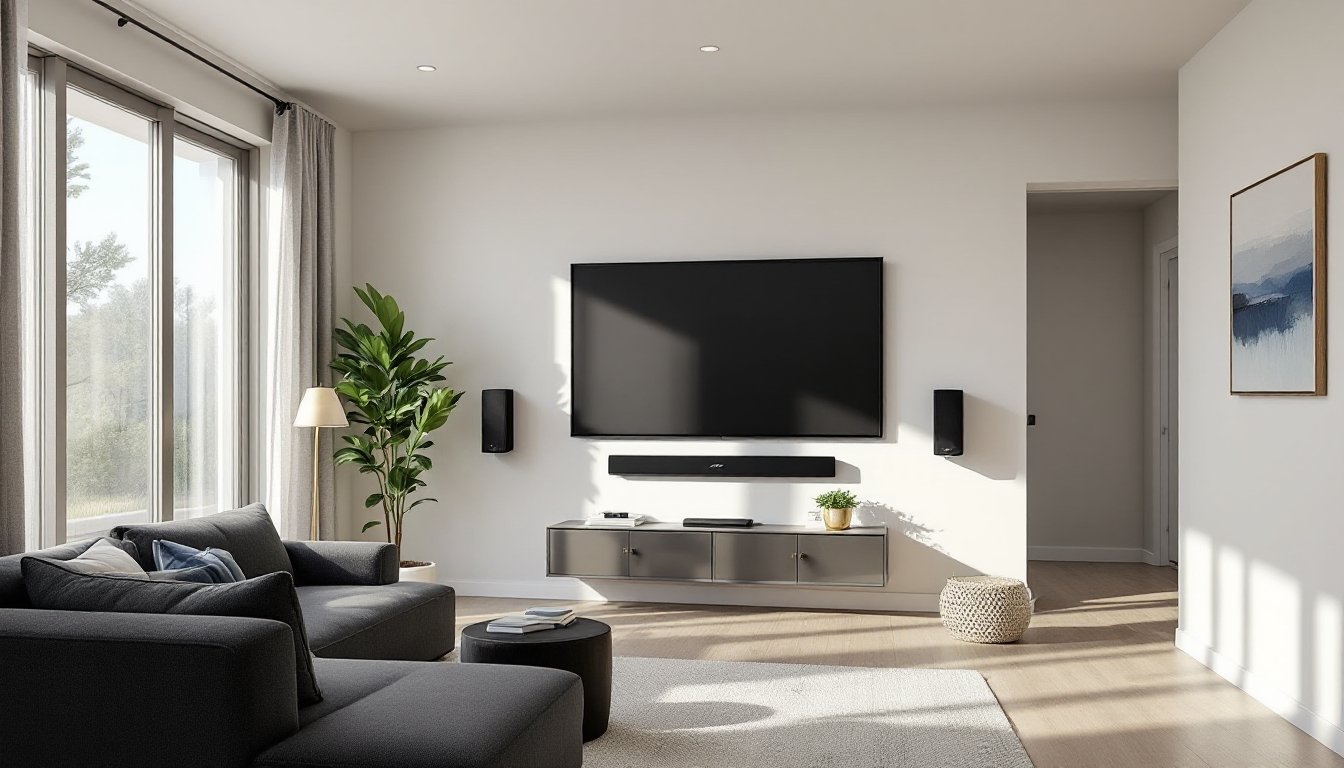
Bose has built a reputation for delivering premium audio that transforms any living room into a mini-cinema. Their home theater systems blend decades of acoustic research with user-friendly design, making them a go-to choice for homeowners who want theater-quality sound without the complexity of traditional AV setups. Whether someone’s upgrading a cramped apartment or outfitting a dedicated media room, Bose offers solutions that balance performance with practicality. This guide walks through the standout features, system options, selection criteria, installation tips, and design integration strategies for getting the most out of a Bose home theater in 2026.
Table of Contents
ToggleKey Takeaways
- Bose home theater systems use proprietary PhaseGuide and QuietPort technologies to deliver room-filling sound from compact speakers, eliminating the need for bulky tower speakers.
- ADAPTiQ auto-calibration measures your room’s acoustics and fine-tunes speaker output in about ten minutes, significantly improving clarity and balance.
- Soundbar-based systems like the Smart Ultra Soundbar work best for rooms up to 300 square feet, while Lifestyle 650 and 600 packages provide better coverage for larger or open-concept spaces.
- Bose home theater systems are modular and expandable—start with a soundbar, then add subwoofers and surround speakers over time to spread costs and test before full commitment.
- Smart home integration with Wi-Fi, AirPlay 2, Spotify Connect, and Alexa/Google Assistant enables voice control and multi-room audio without requiring a separate hub.
- Proper DIY installation requires mounting the soundbar below your TV with certified HDMI cables, placing the subwoofer near a corner for optimal bass, and running ADAPTiQ calibration after setup is complete.
What Makes Bose Home Theater Systems Stand Out?
Bose leans heavily on proprietary technologies that set their systems apart from generic audio gear. Their PhaseGuide and QuietPort technologies create wide soundstages and deep bass from compact enclosures, important when wall space is limited. The result is room-filling sound that doesn’t require massive tower speakers or complicated receiver stacks.
Another key differentiator is ADAPTiQ audio calibration. This system uses a headset microphone to measure room acoustics, then auto-tunes the speaker output to compensate for hard surfaces, furniture placement, and room dimensions. It’s particularly useful in non-rectangular rooms or spaces with lots of glass and tile. The calibration takes about ten minutes and makes a noticeable difference in clarity and balance.
Bose systems also prioritize integration with smart home ecosystems. Most current models support Wi-Fi, Bluetooth, Apple AirPlay 2, Spotify Connect, and Alexa/Google Assistant. That means voice control, multi-room audio grouping, and direct streaming without needing a separate hub. For DIYers already invested in a smart home platform, this simplifies setup and daily use.
Build quality is consistent across their lineup. Cabinets use premium materials, tempered glass tops, metal grilles, and matte finishes that resist fingerprints. Cables are labeled, connectors are robust, and firmware updates roll out over Wi-Fi. It’s not the cheapest option, but the fit and finish reflect the price point.
Popular Bose Home Theater System Options for Every Space
Bose offers two main paths: soundbar-based systems and full surround packages. Each suits different room sizes, budgets, and installation preferences.
Soundbar Systems: Sleek and Simple
Soundbars are the fastest route to better TV audio. They sit below or in front of the screen, require minimal wiring, and deliver a wide soundstage without cluttering the room.
The Bose Smart Ultra Soundbar (formerly the Soundbar 900) is their flagship model for 2026. It features Dolby Atmos and upward-firing drivers that bounce sound off the ceiling for height channels. The bar measures roughly 41 inches wide, so it pairs well with 55- to 75-inch TVs. It connects via HDMI eARC, optical, or Wi-Fi, and includes Bluetooth for streaming. Many soundbar rankings place it among the top performers for clarity and spatial audio.
For smaller spaces or tighter budgets, the Bose Smart Soundbar (formerly the Soundbar 700) drops the Atmos height channels but retains PhaseGuide, ADAPTiQ, and smart features. It’s about 38 inches wide and works well in bedrooms or apartments where bass management is critical.
Both soundbars support the optional Bose Bass Module 700 or Bass Module 500 subwoofers. The 700 uses a dual-driver, front-firing design that delivers tight, controlled low-end without the boominess that annoys neighbors. The 500 is more compact and less expensive but still handles the sub-80Hz range effectively.
For true surround, add the Bose Surround Speakers or Surround Speakers 700. These wireless satellites connect to the soundbar over a proprietary RF link, no separate receiver needed. They’re compact (roughly 4 inches tall) and can sit on stands, shelves, or mount to the wall with the included brackets. The 700 version uses a premium finish to match the higher-tier soundbar.
Complete Surround Sound Packages
For dedicated home theaters or larger living rooms, Bose offers the Lifestyle 650 and Lifestyle 600 systems. These are complete packages with a console (which acts as the receiver), five satellite speakers (or four satellites plus a center channel), and a subwoofer.
The console handles all HDMI switching (typically four or six inputs), decodes Dolby and DTS formats, and includes the ADAPTiQ headset. The satellites use Jewel Cube or OmniJewel designs, small, unobtrusive speakers that can be hidden on shelves or mounted discreetly. The OmniJewel version uses an omnidirectional design that reflects sound off walls, creating a diffuse soundfield that’s forgiving of placement.
These systems require more planning. Homeowners need to run speaker wire (18- or 16-gauge) from the console to each satellite location. That often means fishing wire through walls, running it along baseboards, or using in-wall conduit. If the room is already drywalled and finished, it’s worth hiring a low-voltage installer to avoid patching and painting later. The upside is better channel separation and a more immersive experience than soundbars can deliver.
How to Choose the Right Bose System for Your Home
Start with room size and layout. Soundbars work best in rooms up to about 300 square feet. Beyond that, or in open-concept spaces, a full surround package provides better coverage. Measure the room and note any irregular features, vaulted ceilings, open doorways, large windows, that affect acoustics.
Next, consider content and usage. If most viewing is streaming TV, news, and sports, a soundbar with a subwoofer is plenty. For movie enthusiasts who want Dolby Atmos and discrete surround channels, the Smart Ultra Soundbar or a Lifestyle package makes more sense. Gamers benefit from HDMI eARC and low-latency Bluetooth for console audio.
Budget is straightforward. As of early 2026, the Smart Soundbar starts around $650, the Smart Ultra Soundbar sits near $950, and the Lifestyle 650 system runs about $4,000. Add subwoofers and surround speakers as needed. Installation costs vary by region and complexity, expect $150 to $500 for professional soundbar mounting and calibration, or $800+ for a full Lifestyle system with in-wall wiring.
Finally, think about future expansion. Bose systems are modular. Someone can start with a soundbar, add a subwoofer six months later, then add surrounds the following year. The console or soundbar stores the ADAPTiQ profile and recalibrates when new speakers are detected. This staged approach spreads out costs and lets homeowners test the system before committing to the full setup.
Check if the existing TV supports HDMI eARC (enhanced Audio Return Channel). Most TVs from 2020 onward do, but older models may only have ARC or optical. HDMI eARC carries higher-bandwidth audio formats like Dolby Atmos, so it’s worth confirming before purchase. If the TV lacks eARC, the soundbar can still connect via optical or HDMI, but some advanced features won’t be available.
DIY Installation Tips for Bose Home Theater Systems
Soundbar installation is straightforward but benefits from attention to detail. Mount the soundbar directly below the TV, centered horizontally. Use the included wall-mount bracket (or purchase the optional Bose Soundbar Wall Bracket) if table space is limited. The bracket is a metal rail that attaches to studs, locate studs with a stud finder, mark pilot holes, and use #10 x 2.5-inch wood screws for a secure mount. If mounting to drywall between studs, use toggle anchors rated for at least 25 pounds.
Run the HDMI cable from the soundbar’s HDMI eARC port to the TV’s eARC port (usually HDMI 1 or HDMI 2). Use a certified Ultra High Speed HDMI cable (sometimes labeled HDMI 2.1) to support 4K, HDR, and Atmos passthrough. Avoid sharp bends or pinching the cable behind the TV. If the cable run exceeds six feet, consider an in-wall rated cable to meet code if it’s routed through walls.
Subwoofer placement affects bass response. Start by placing the sub near a front corner, about a foot from each wall. Play bass-heavy content and move the sub incrementally, listening for a spot where the bass is tight and even, not boomy or thin. Avoid placing it inside a cabinet or tight alcove, which can muffle output. The Bose Bass Module 700 is front-firing, so it can go closer to walls than down-firing subs.
For surround speakers, aim for placement at or slightly behind the listening position, about two to three feet above ear level when seated. Use the included floor stands or wall-mount brackets. Wall mounting requires hitting studs or using drywall anchors rated for 10+ pounds. Route the speaker wire along baseboards or through walls. If fishing wire through finished walls, use a flex bit or fish tape and work from an existing outlet or low point to minimize drywall repair.
Run the ADAPTiQ calibration after everything is connected and powered on. Wear the headset, sit in the primary listening position, and follow the on-screen prompts. The system plays test tones, measures reflections and delays, then adjusts EQ and levels. Repeat the process if furniture is rearranged or new rugs are added, room acoustics change with soft and hard surfaces.
Safety note: Always turn off power when making connections, especially if running wires near outlets or light switches. Wear safety glasses when drilling overhead, and use a dust mask if cutting into old drywall (pre-1980s homes may contain asbestos in joint compound, test before disturbing).
Integrating Bose Audio into Your Home Design
Bose systems are designed to minimize visual clutter, but thoughtful integration makes them nearly invisible. For soundbars, consider a floating media console or a low-profile TV stand that leaves clearance for the soundbar without blocking the IR sensor or drivers. If wall-mounting the TV, use an articulating mount that allows slight tilt adjustments, this can help direct soundbar audio toward the seating area.
Cable management is critical. Use in-wall cable raceways (paintable plastic channels) or cord covers that match the wall color. For cleaner installs, route cables through the wall using low-voltage mounting brackets (Arlington or Legrand make code-compliant versions). These brackets create a clean pass-through behind the TV and near the floor for power and HDMI.
When planning surround sound installations, consider how satellite speakers and subwoofers interact with furniture. Place surrounds on narrow shelves or wall-mounted brackets that blend with trim. Paint speaker stands to match baseboards or walls. The Bose OmniJewel speakers are small enough to tuck behind plants or decor without sacrificing performance.
For dedicated home theaters, integrate acoustic treatments without sacrificing aesthetics. Use fabric-wrapped acoustic panels on side walls to reduce reflections. These can match room colors and double as art. Avoid heavy drapes directly in front of surround speakers, they absorb high frequencies and dull the soundstage.
If the room has recessed lighting or ceiling fans, ensure the soundbar’s upward-firing Atmos drivers have a clear path. Suspended fixtures or coffered ceilings scatter sound unpredictably. A smooth, flat ceiling within eight feet of the soundbar works best for height channels.
Finally, plan for ventilation. Bose consoles and soundbars generate modest heat but need airflow. Leave at least two inches of clearance on all sides if placing components in a cabinet. Don’t stack components directly on top of each other. If using a closed cabinet, add a passive vent or small USB-powered fan to prevent overheating.
Integration also means thinking about control. Use the Bose Music app to group speakers, adjust EQ, and update firmware. Link the system to a universal remote (Logitech Harmony or similar) for one-touch operation. Many premium soundbar systems now support HDMI-CEC, which lets the TV remote control volume and power, confirm this feature is enabled in the TV settings.