
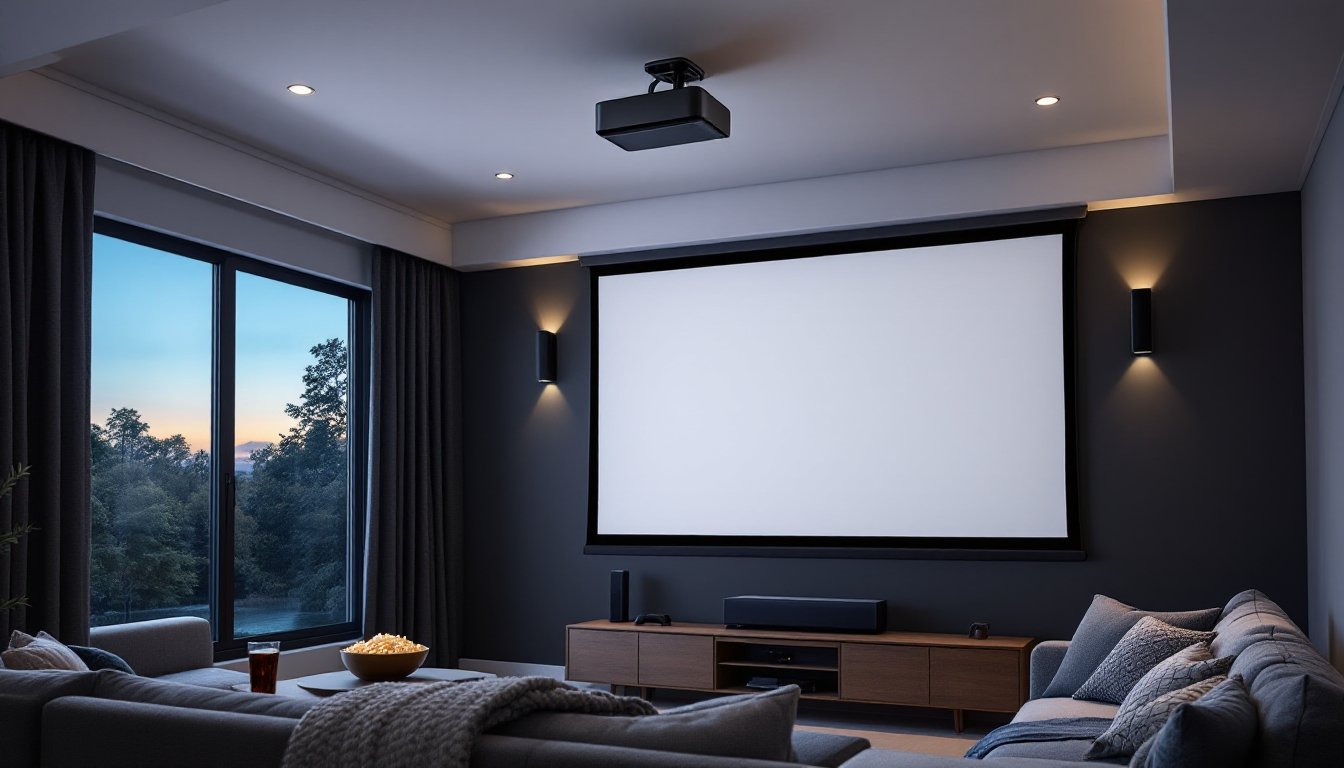
The flatscreen TV has dominated living rooms for decades, but homeowners looking for a true theater experience are increasingly turning to 4K laser projectors. Unlike traditional lamp-based models that dim over time and require frequent bulb replacements, laser projectors deliver consistent brightness, deeper colors, and tens of thousands of hours of maintenance-free operation. They’re no longer reserved for commercial cinemas or custom-built home theaters with six-figure budgets. With prices becoming more accessible and installation less complicated than most people assume, a 4K laser projector can transform a spare wall or basement into a screening room that rivals what you’d pay $50 per ticket to see downtown.
Table of Contents
ToggleKey Takeaways
- A 4K laser home theater projector delivers superior longevity with 20,000 to 30,000 hours of maintenance-free operation, eliminating the need for costly bulb replacements every 2 to 3 years.
- Laser projectors offer instant full brightness, wider color gamut coverage (90%+ of DCI-P3), and lower energy consumption compared to traditional lamp-based models, making them a cost-effective choice for long-term viewing.
- Select a 4K laser projector with at least 2,000 to 2,500 lumens for dedicated home theaters, or 2,800 to 3,500 lumens for living rooms with ambient light to ensure optimal image quality and HDR performance.
- Proper installation requires ceiling mounting with joist anchors, HDMI 2.1 certification, dedicated screens (especially ALR screens for rooms with windows), and 12 inches of clearance around ventilation vents for optimal performance.
- A complete 4K laser home theater setup realistically costs $2,000 to $8,000 when including the projector, screen, audio system, and mounting hardware, with entry-level models starting around $1,500 to $2,000.
What Is a 4K Laser Home Theater Projector?
A 4K laser home theater projector uses a solid-state laser light source instead of a traditional mercury or halogen lamp to project images at 3840 x 2160 resolution, four times the pixel count of 1080p. The laser assembly typically includes red, green, and blue laser diodes (RGB) or a blue laser with a phosphor wheel, depending on the manufacturer’s approach.
The “4K” designation refers to the native resolution of the imaging chip, usually a DLP (Digital Light Processing) chip from Texas Instruments or an LCoS (Liquid Crystal on Silicon) panel. Some budget models use pixel-shifting technology to simulate 4K from a 1080p chip, which can still look sharp but won’t match true native 4K in clarity, especially on screens larger than 100 inches.
Laser light sources generate brightness measured in lumens, typically ranging from 2,000 to 3,500 lumens for home models. That’s enough to produce a clear image in a room with ambient light, though a darkened space still delivers the best contrast and color saturation. The laser module is sealed and doesn’t degrade quickly like a lamp, which burns out after 3,000 to 5,000 hours and costs $200 to $400 to replace.
Key Benefits of Choosing a Laser Projector Over Traditional Lamp Models
Longevity is the standout advantage. Laser light sources are rated for 20,000 to 30,000 hours of use, which translates to roughly 10 to 15 years of regular viewing without replacement. Lamp-based projectors require bulb swaps every two to three years, and bulbs dim noticeably over their lifespan.
Laser projectors reach full brightness almost instantly, no warm-up period. Traditional lamps take 30 seconds to a minute to stabilize, and they need a cool-down cycle before you can unplug them. Laser models power on and off like a TV.
Color accuracy improves significantly with laser phosphor or RGB laser systems. They produce a wider color gamut, often covering 90% or more of the DCI-P3 color space used in digital cinema. Lamp projectors typically cover 60% to 70% of that range, resulting in less saturated reds and greens.
Maintenance drops to near zero. Lamp projectors need periodic filter cleaning and eventual lamp replacement, both of which require partial disassembly if the unit is ceiling-mounted. Laser projectors have sealed optical engines that resist dust intrusion, and many models include automatic filter alerts if cleaning is ever needed.
Energy efficiency also tilts in favor of laser. A typical lamp projector draws 250 to 350 watts at full brightness. Laser models with comparable output use 200 to 280 watts, and many include an eco mode that further reduces power draw when high brightness isn’t necessary.
Essential Features to Look for When Buying a 4K Laser Projector
Not all 4K laser projectors are built the same. Focus on the specs that directly affect image quality and installation flexibility.
Brightness and Contrast Ratio
Brightness determines how well the image holds up in ambient light. For a dedicated home theater with blackout curtains, 2,000 to 2,500 lumens is plenty. If the projector will be used in a living room with windows or recessed lighting, aim for 2,800 to 3,500 lumens to maintain color saturation and prevent the image from looking washed out.
Contrast ratio measures the difference between the darkest black and the brightest white the projector can produce. Native contrast ratios for laser projectors range from 1,500:1 to 3,000:1 or higher. Models with dynamic iris systems or local dimming can push the effective contrast much higher, but those specs are often inflated in marketing materials. Look for reviews that measure ANSI contrast, a more standardized metric.
HDR (High Dynamic Range) support is critical for 4K content. Most laser projectors handle HDR10, and some support HLG or Dolby Vision. HDR requires both high peak brightness and deep blacks to look right, so contrast and brightness work together here. A projector with 2,000 lumens and poor contrast will struggle with HDR more than a 2,500-lumen model with strong native contrast.
Throw Distance and Room Size Considerations
Throw distance is the space between the projector lens and the screen, and it dictates how large an image you can project in your room. A standard throw projector typically needs 10 to 15 feet to produce a 100-inch diagonal image. Short-throw models cut that to 5 to 8 feet, and ultra-short-throw (UST) projectors sit just inches from the wall and project upward.
Ultra-short-throw models are ideal for smaller rooms or spaces where ceiling mounting isn’t practical. They minimize shadows from people walking in front of the screen and reduce the risk of someone staring into the lens. But, UST projectors require a flat wall or a specialized ALR (ambient light rejecting) screen to avoid hotspotting and color shifts.
Check the manufacturer’s throw ratio, expressed as a decimal (e.g., 1.5:1). A throw ratio of 1.5:1 means the projector needs to be 1.5 feet away for every foot of screen width. For a 100-inch 16:9 screen (about 87 inches wide), you’d need roughly 11 feet of distance. Most projectors include lens shift or keystone correction to adjust the image vertically or horizontally without moving the unit, but optical lens shift is preferable to digital keystone, which can soften the image.
Setting Up Your 4K Laser Projector: Installation Tips for Homeowners
Ceiling mounting is the cleanest installation method and keeps the projector out of the way. Use a universal projector mount rated for the weight of your unit, most 4K laser projectors weigh between 15 and 25 pounds. Locate a ceiling joist with a stud finder and anchor the mount with 3-inch lag bolts, not drywall anchors. If joists don’t align with your desired projector position, install a ceiling joist brace (available at home centers) between two joists to create a solid mounting point.
Run HDMI cables before mounting. HDMI 2.0 is the minimum for 4K at 60Hz, but HDMI 2.1 is recommended if you plan to connect a gaming console or future-proof the setup. Use certified Premium High Speed HDMI cables for runs under 25 feet. For longer distances, consider an active HDMI cable or a fiber optic HDMI cable to prevent signal degradation. If running cables through walls, use CL2- or CL3-rated cable to meet fire code.
Screen selection matters more than many DIYers realize. A plain white wall works in a pinch, but a dedicated screen improves brightness uniformity and color accuracy. Fixed-frame screens offer the flattest surface and best image quality. Retractable screens save space but can develop waves over time. For rooms with ambient light, an ALR screen uses angular ridges to reflect the projector’s light toward viewers while absorbing overhead and side light.
Power and ventilation need attention. Laser projectors run cooler than lamp models, but they still need airflow. Leave at least 12 inches of clearance around intake and exhaust vents. Don’t install the projector in an enclosed cabinet without ventilation. Plug the unit into a surge protector with joule rating of at least 1,000 to protect against power spikes.
Calibration improves picture quality significantly. Most projectors ship with brightness and color settings optimized for showroom floors, not home theaters. Use the projector’s picture presets as a starting point, Cinema or Movie mode usually offers the most accurate colors. Disable motion smoothing (sometimes called “soap opera effect”) unless you’re watching sports. If you want precise calibration, many units support adjustment tools that measure color temperature and gamma. For DIYers without calibration equipment, online user forums often share settings for specific models.
Budget Considerations: What to Expect When Investing in 4K Laser Technology
Entry-level 4K laser projectors start around $1,500 to $2,000. These models typically offer 2,000 to 2,500 lumens, native 4K or pixel-shift 4K, and basic HDR support. They’re a solid choice for dedicated home theaters in controlled lighting but may lack the brightness and contrast for living room use. Reviews like the Dangbei Mars Pro 4K highlight what to expect in this price range, including strengths and compromises.
Mid-range models in the $2,500 to $4,500 bracket deliver higher brightness (2,800 to 3,500 lumens), better contrast ratios, more refined color processing, and advanced features like motorized lens shift, multiple HDMI 2.1 ports, and extensive HDR tone mapping. These projectors handle ambient light better and work well in multipurpose rooms.
High-end 4K laser projectors run $5,000 to $10,000 or more. They use RGB laser arrays for the widest color gamut, offer 4,000+ lumens, and include premium build quality, whisper-quiet operation, and extensive calibration controls. These are the units you’d find in custom installations, and they’re overkill for most DIY setups unless the home theater is the centerpiece of the home.
Don’t forget the screen. Budget $200 to $500 for a quality 100- to 120-inch fixed-frame screen. ALR screens cost more, expect $600 to $1,200, but they’re worth it if the room has windows or recessed lighting you can’t eliminate.
Audio is separate. Projectors have built-in speakers, but they’re underpowered and tinny. Plan to add a soundbar ($200 to $600) or a full 5.1 surround system ($500 to $2,000+) to match the visual experience. Many homeowners planning smart home upgrades integrate wireless speakers and streaming devices for a seamless setup.
Mounting hardware, cables, and accessories add another $100 to $300. That includes the ceiling mount, HDMI cables, cable management clips, and possibly a universal remote or smart home hub to control everything.
Total realistic budget for a complete 4K laser home theater setup ranges from $2,000 on the low end to $6,000 to $8,000 for a well-rounded system. That’s a significant investment, but the per-hour cost drops quickly if the family uses it regularly, and the lack of bulb replacements keeps long-term costs down compared to lamp-based projectors.